

Hello Everyone,
In this blog we will learn how to change the index box in Magento 2?
Without wasting your time, let us guide you straight away. Follow the easy step given below to edit your details in magento 2.
STEPS FOR CHANGE INDEX BOX IN MAGENTO 2
Step 1: First go to the Magento 2 store Admin Dashboard and login.
Step 2: Now go to the menu bar on the side. After this, go to System > Tools > Index Management.
Step 3: Now click on the Indexer for the mode you want to change.
Step 4: Then from the Actions dropdown, select your desired option.
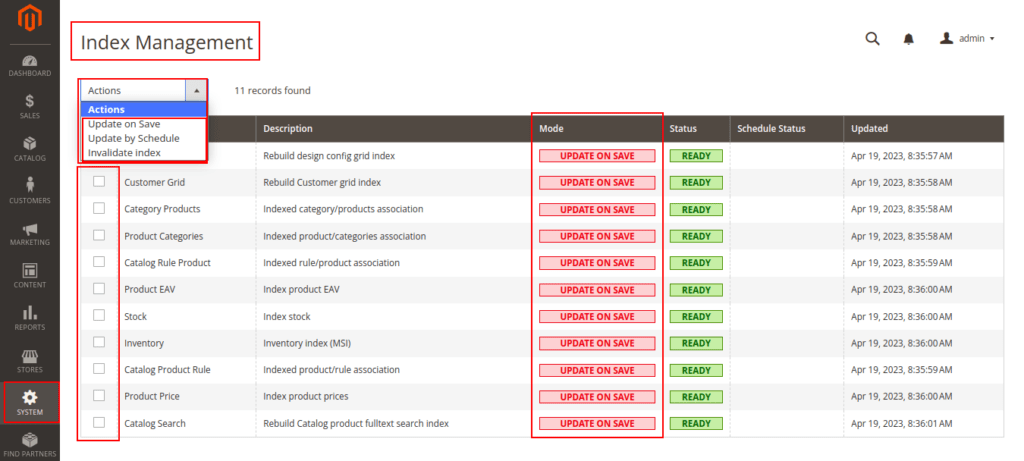
Step 5: After changing the action, click on the Submit button to apply changes.
FINAL THOUGHTS:
So this was the easiest way which we have told you in this blog. In this way you can change the index box in Magento 2. Hope you have liked the blog.
So quickly go to the comment box and tell me how you like this blog?
STAY TUNED WITH US ON OUR SITE TO GET NEW UPDATES OF MAGENTO.
Thanks for reading and visiting our site.
