



Magento 2 Hide Price


Magento 2 Hide Price
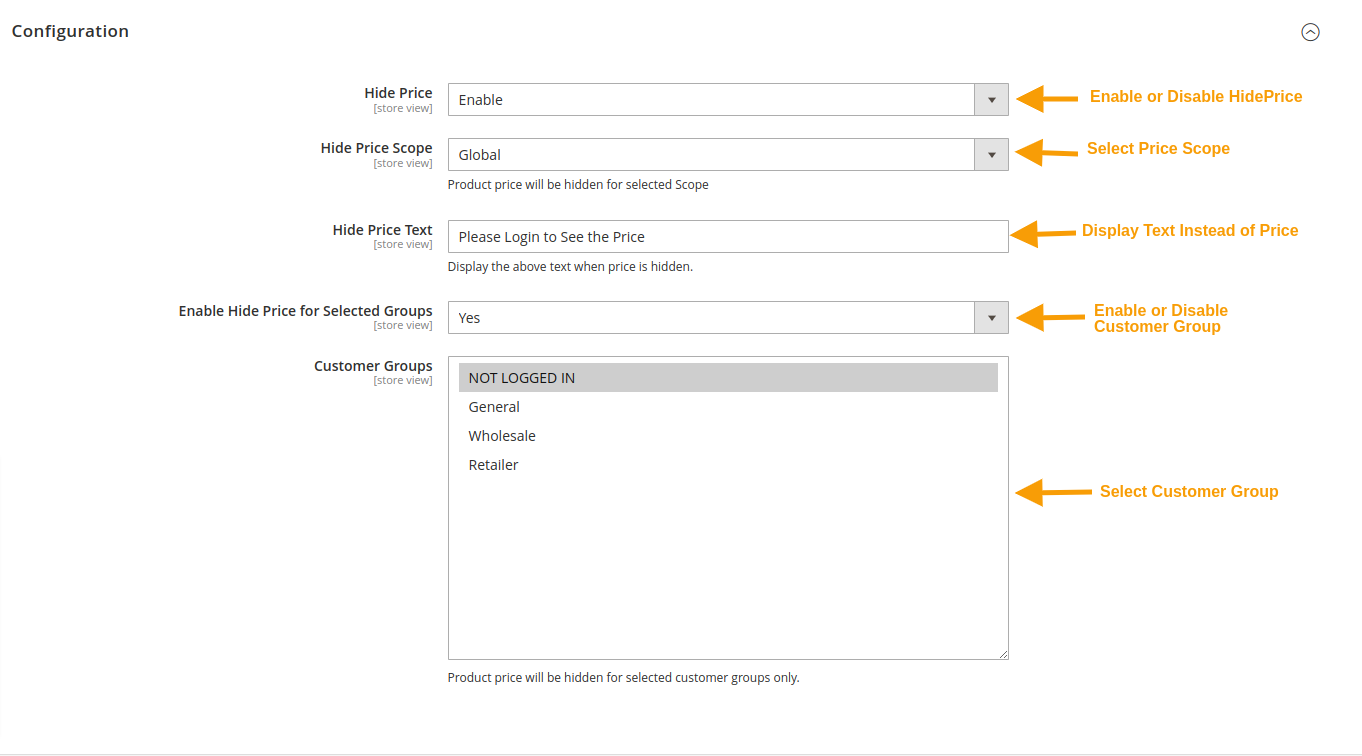
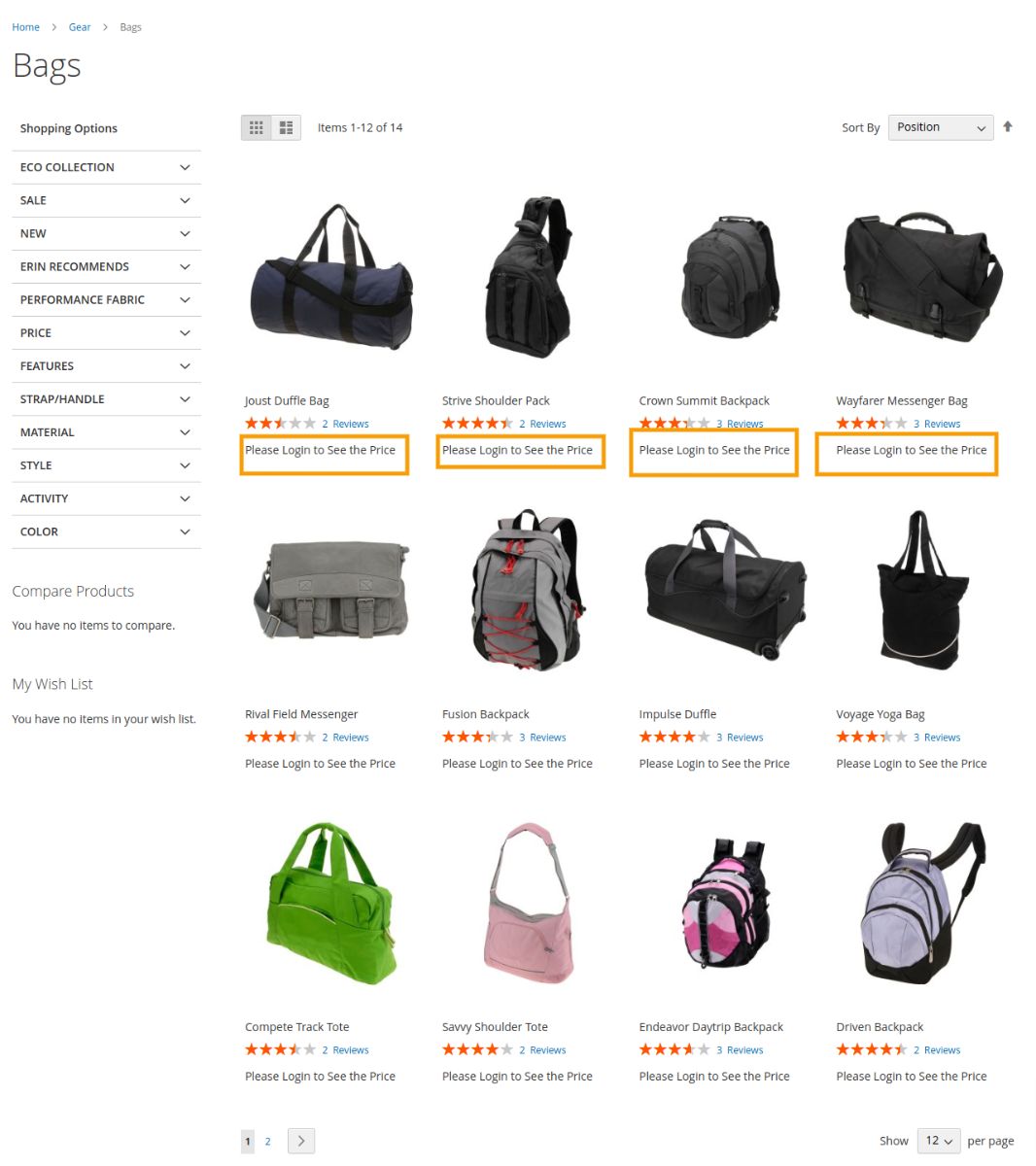
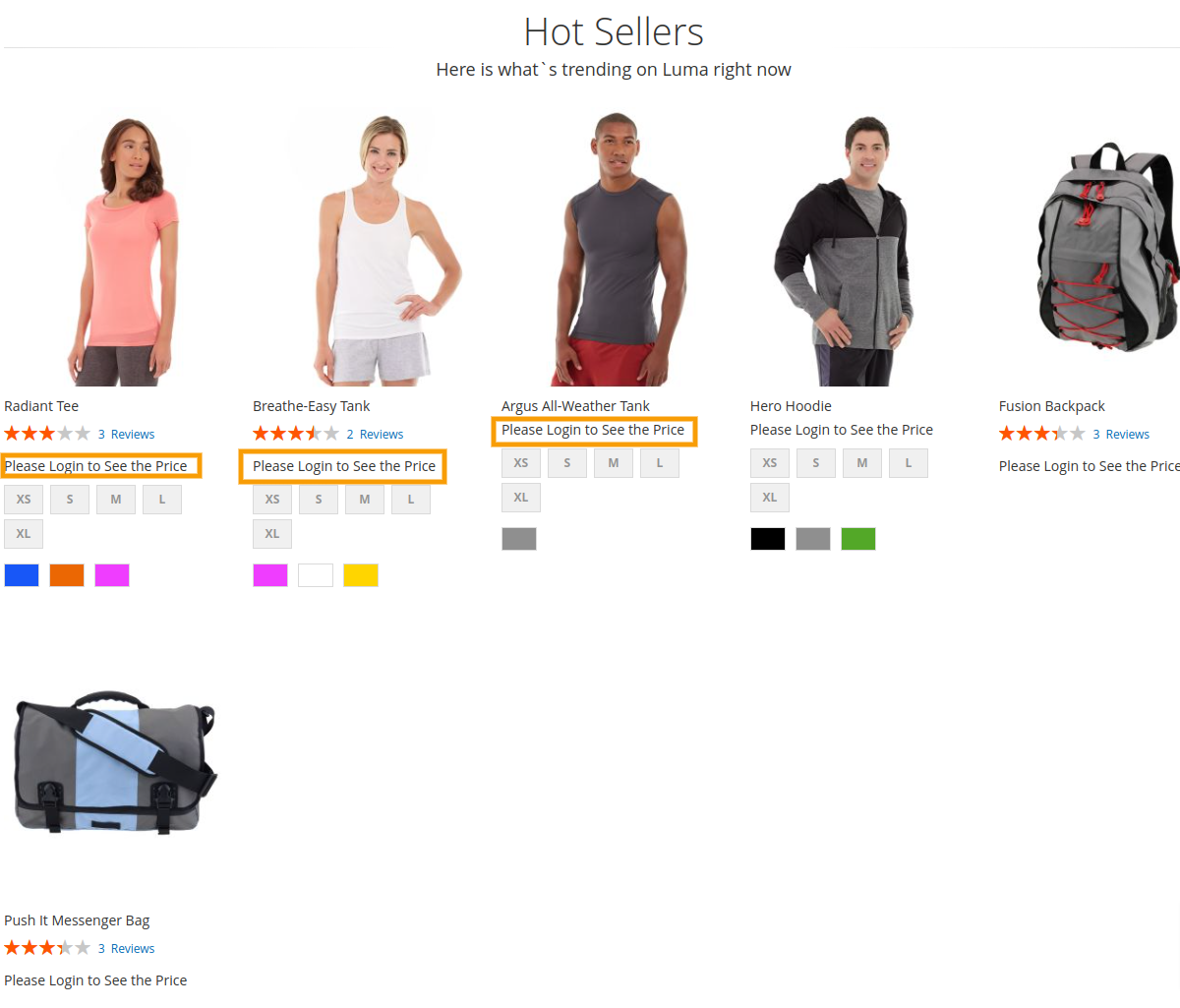
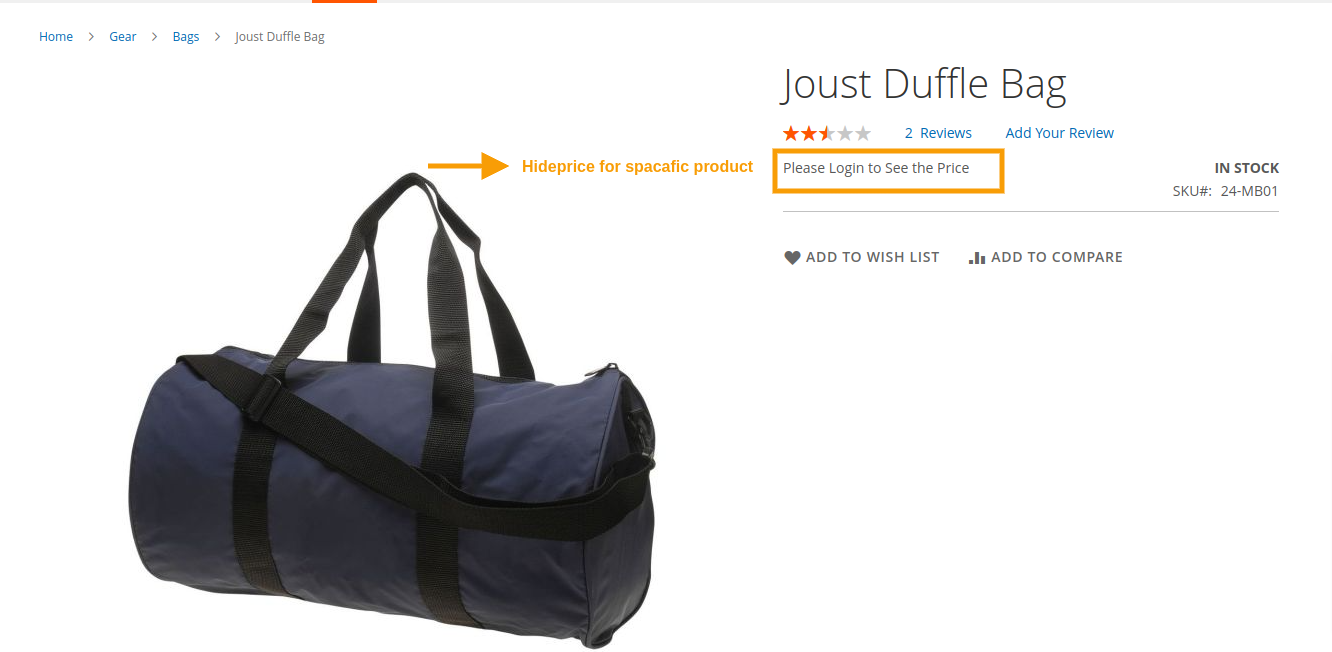
This extension allows store owners to hide product prices from product and list pages based on customer group settings. According to them they can choose any category and hide the price for them. Admin can also hide product price by product as well as category-wise.
Features
- The admin can Enable/Disable the module.
- Hide product prices for specific customer groups.
- Hide the price of the product and remove the "Add to Cart" button.
- Hide prices at a global level, on a per-product basis, or within specific categories.
- REST API Available / GraphQL API Available.
- Direct visitors to a designated CMS page.
- Set custom title for CTA buttons.
- Compatible With 2.0.x, 2.1.x, 2.2.x, 2.3.x, 2.4.x

Magento 2 Hide Price Extension by MageCurious
Now a days most of the business are available globally throughout the words and for easy customer user experience business owner
needs to show products price for some group of customer and need to hide for specific customer group . e.g. Guest Customer.
but by default magento shows price for all group of customes .
For the purpose of extending this price functionality, Magecurious come up with Magento 2 Hide Price Extension and with the help of this extension Store owner will able to hide product price from product and list page based on customer groups setting..
- The Magento 2 Hide Price extension is a tool designed to give e-commerce store owners control over the visibility of product prices on their Magento 2-based websites.
- This extension allows administrators to hide prices for specific products, categories, or customer groups, providing them with flexibility in implementing various pricing strategies.
- By hiding prices, store owners can encourage customers to engage in alternative actions, such as requesting a quote, contacting the store for pricing details, or signing up for membership to access pricing information.
- Additionally, the extension typically offers customizable call-to-action buttons or messages in place of hidden prices, allowing administrators to guide customer behaviour effectively.
- Overall, the Magento 2 Hide Price extension aims to empower store owners to tailor their pricing presentation to suit their business objectives and enhance the overall shopping experience for customers.
- To learn more about how the extension works, read our user guide.
What Is The Purpose Of The Magento 2 Hide Price Extension?
- The purpose of the Magento 2 Hide Price extension is to give e-commerce store owners greater control over the visibility of product prices on their websites.
- This extension allows store owners to hide prices for specific products or categories, encouraging customers to interact with the store in different ways, such as requesting a quote or contacting the store directly for pricing information.
- By hiding prices, store owners can implement strategic pricing strategies, create a sense of exclusivity around certain products, and differentiate their store from competitors.
- Overall, the Magento 2 Hide Price extension aims to enhance the shopping experience for customers while providing store owners with more flexibility and control over their pricing strategies.
Advantages Of The Magento 2 Hide Price Extension?
- Control over Pricing Visibility: With this extension, you can choose to hide prices for specific products or entire categories. This gives you greater control over which products are displayed with prices and which are not, allowing for more strategic pricing strategies.
- Encourages Customer Interaction: By hiding prices, you encourage customers to engage with your store in different ways, such as requesting a quote or contacting you directly for pricing information. This can lead to more meaningful interactions and potentially higher conversion rates as you engage with customers on a more personal level.
- Customizable Call-to-Action: The extension typically allows you to replace the price with a customizable call-to-action button or message. This allows you to tailor the message to encourage specific actions from customers, such as requesting a quote, signing up for notifications, or contacting support.
- Exclusive Pricing: Hide Price extensions can be used to create a sense of exclusivity around certain products by hiding prices from non-registered users or users who haven't met certain criteria (like being part of a loyalty program or subscribing to a newsletter). This can help boost customer loyalty and incentivize users to engage more deeply with your brand.
- Flexible Configuration Options: Most Hide Price extensions offer flexible configuration options, allowing you to customize when and how prices are hidden based on various conditions such as customer group, product type, or pricing tier. This flexibility enables you to implement pricing strategies that align with your business goals and target audience.
- Competitive Advantage:By strategically hiding prices, you can differentiate your store from competitors and create a unique shopping experience. This can help you stand out in a crowded market and attract customers who are looking for a more personalized and engaging shopping experience.
Customer Support
+91 9327798896 OR Contact Us OR support@magecurious.com
Frequently Asked Questions
Yes, the Magento 2 Hide Price extension provides the flexibility to hide prices on a per-product basis. Store owners can choose which products they want to hide prices for.
Yes, the extension typically offers the option to replace the price with a customizable call-to-action button or message. This can prompt customers to take alternative actions such as requesting a quote or contacting the store for pricing information.
No, hiding prices does not affect the checkout process. Customers can still add hidden-price products to their cart and proceed with the checkout as usual.
Store owners need to ensure that hiding prices comply with local laws and regulations, especially regarding consumer rights and transparency in pricing. Consulting with legal experts or local authorities is recommended to ensure compliance.
Yes, hiding prices encourages customers to contact the store for pricing information, allowing store owners to provide personalized quotes or negotiate pricing based on customer needs.
The Magento 2 Hide Price extension allows store owners to hide product prices for specific customer groups or based on conditions, perfect for exclusive deals or B2B websites.
Once installed, go to the configuration panel under Stores > Configuration > MageCurious > Hide Price Extension to define the customer groups and conditions where prices should be hidden.
Do you need specific features for your business needs?
Fill below form we will contact you soon
Changelog
- Compatible with hyva Theme