


Magento 2 Payment Fee


Magento 2 Payment Fee
This extension allows admin to add extra charge to customers with the extra fee based on payment methods selection from your magento 2 strore.
Features
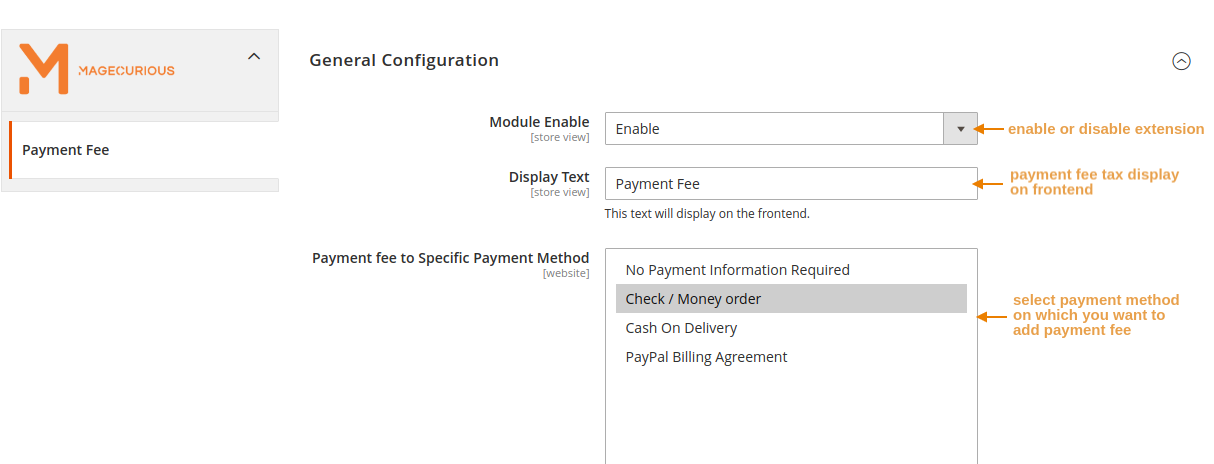
- The admin can Enable/Disable the module.
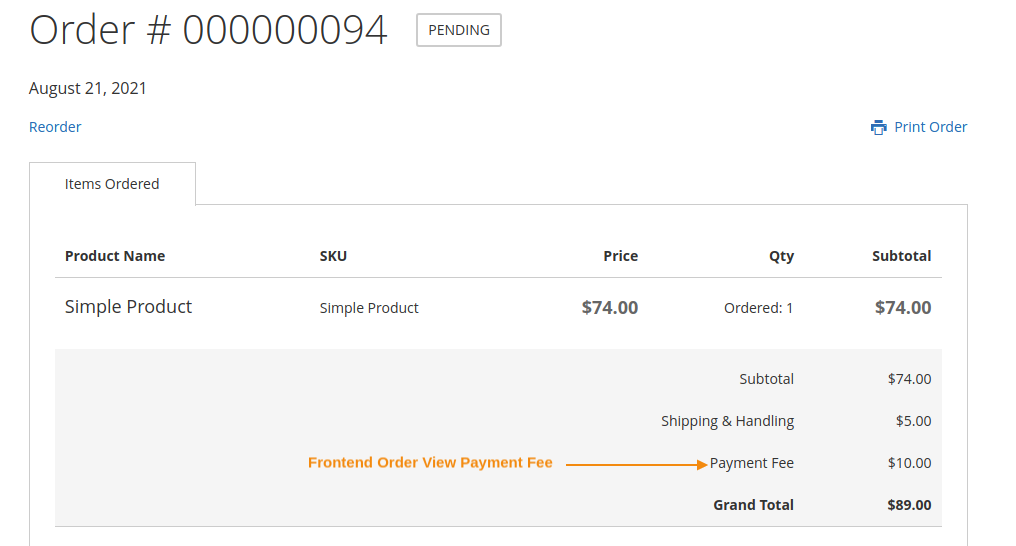
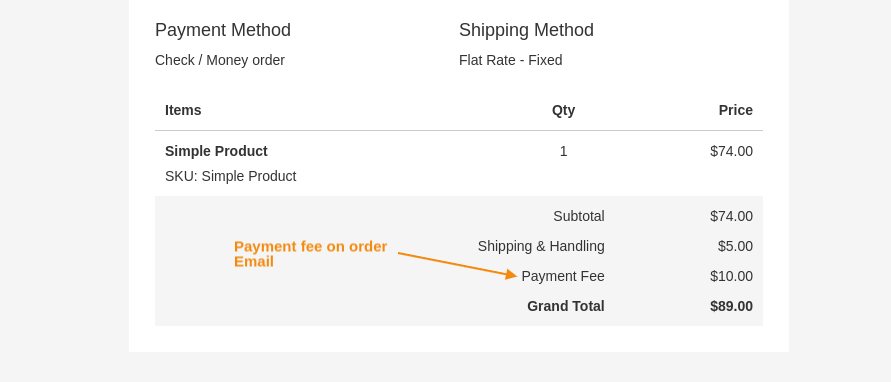
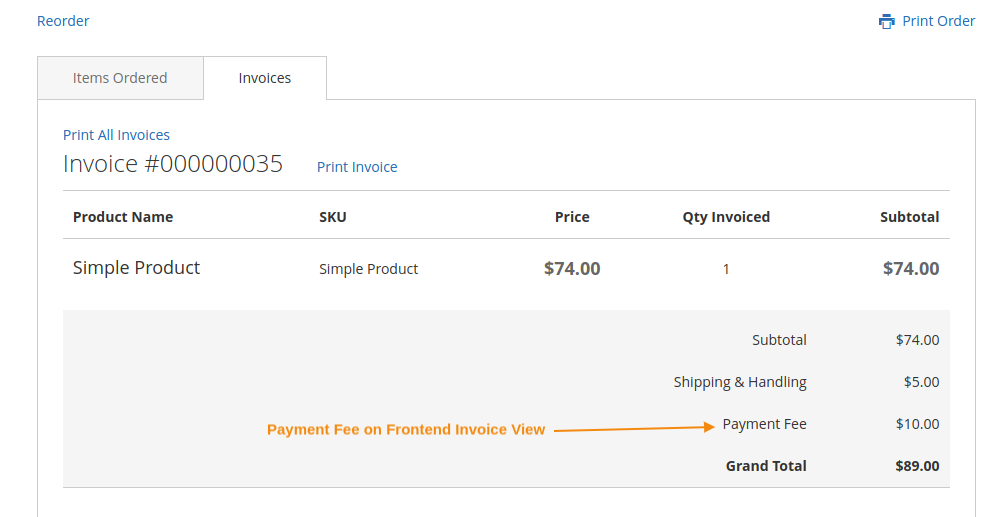
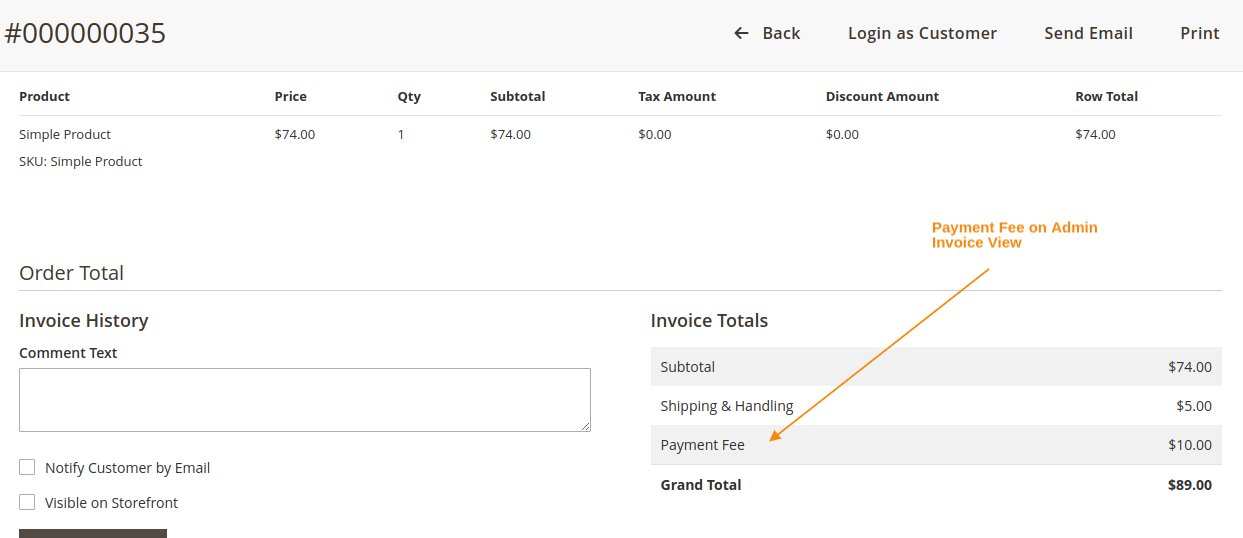
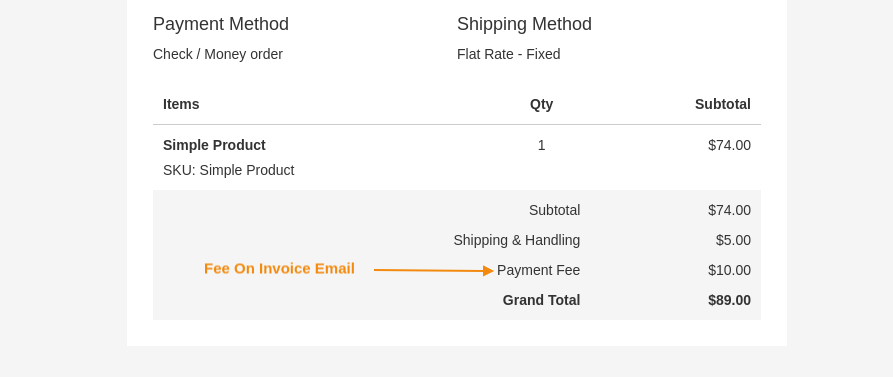
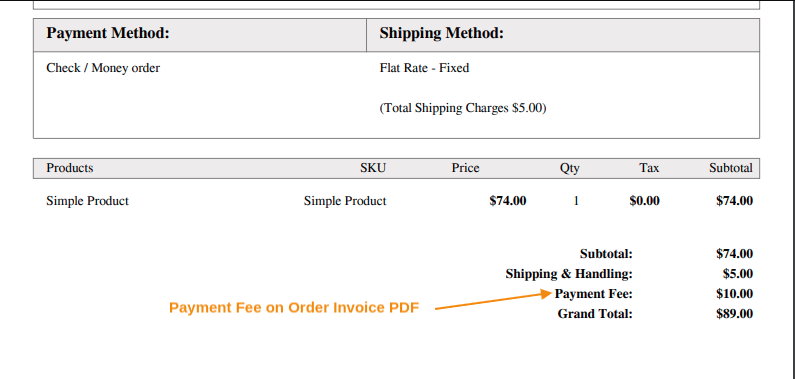
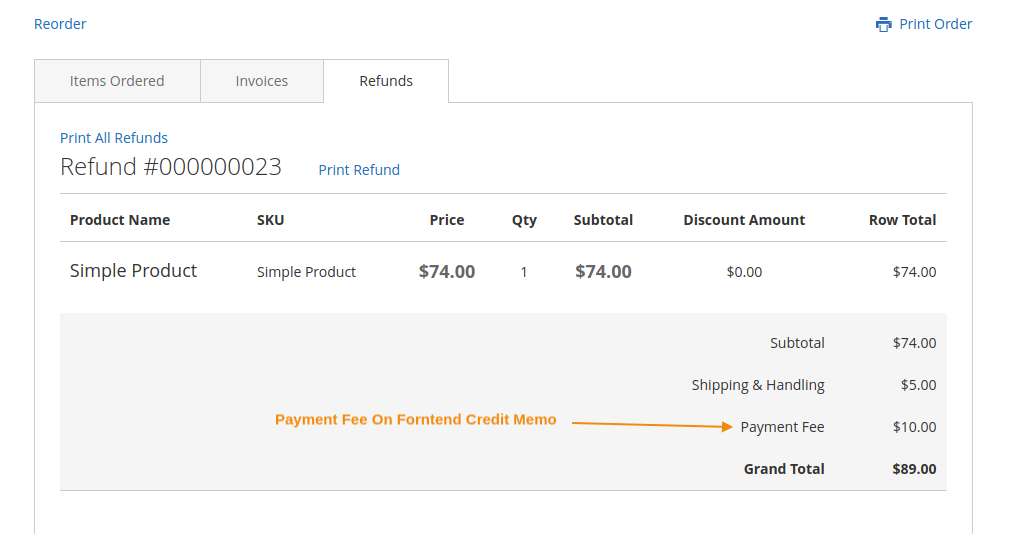
- Compute fees for all order entities such as invoices, credit memos, etc.
- Implement fees for customers who utilize specific payment methods.
- Enable the imposition of payment fees for backend orders.
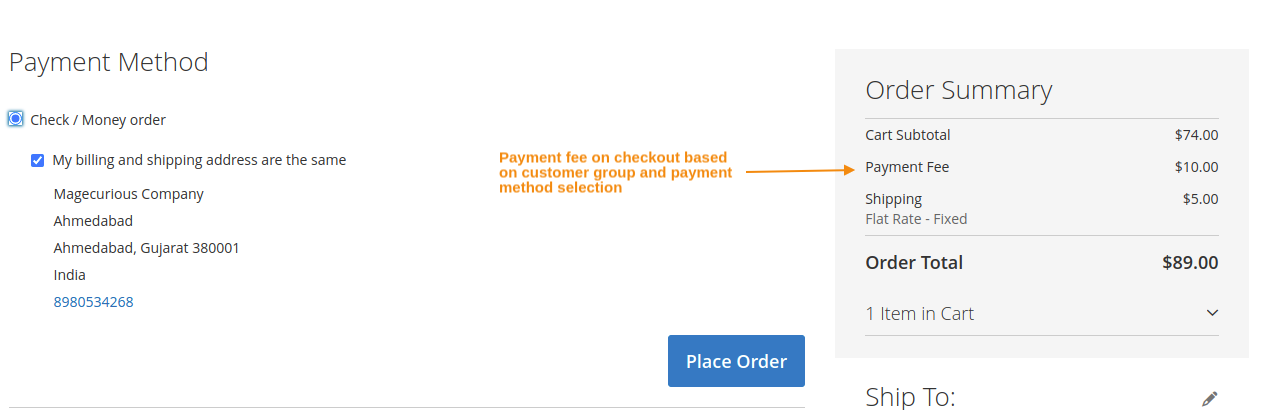
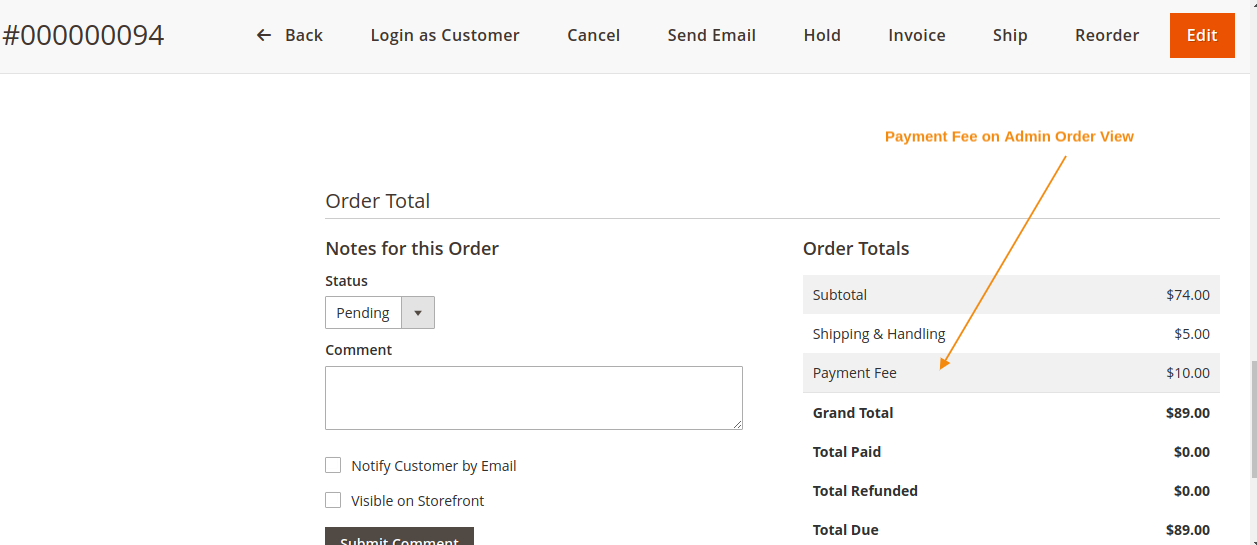
- Ensure transparency with customers by displaying payment fees for different payment methods.
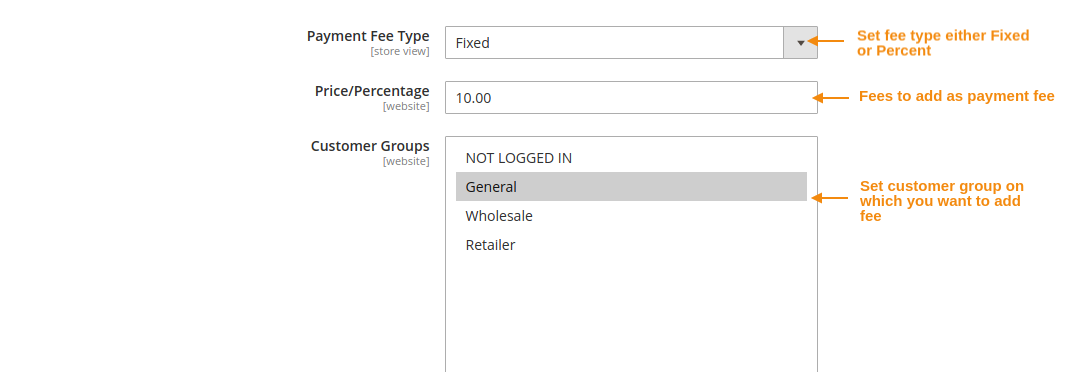
- Allow payment fees for particular store views and customer groups.
- Compatible With 2.0.x, 2.1.x, 2.2.x, 2.3.x, 2.4.x

Magento2 Payment Fee Extension by MageCurious allows e-commerce store owner to add some extra fees while their customer process the order in e-commerce store based on payment method selection.Store owner can set different payment charges for different payment methods by customer group with different fees type including Fixed Price as well as Percentage of subtotal.
- The Magento 2 Extra Fee extension empowers you to create additional fees for various services as required.
- This module enables the addition of multiple extra payment options on both checkout and cart pages, allowing customers to select relevant charge options before finalizing their purchase.
- You can apply these fees based on different criteria such as SKU, product name, or any other attributes, providing flexibility in fee customization.
- The Magento 2 Extra Fee extension offers the flexibility to create either percentage-based or fixed-price payments. It also provides various input types and allows for displaying additional information for each extra charge block.
- You can set up flexible conditions to show fees based on payment and shipping methods, as well as specific product selections and cart attributes.
- To learn more about how the extension works, read our user guide.
What Is The Purpose Of The Magento 2 Payment Fee Extension?
- The purpose of the Magento 2 Payment Fee Extension is to enable businesses to apply additional fees or surcharges to specific payment methods during the checkout process in their Magento 2 store.
- This extension allows merchants to implement payment processing fees based on various criteria such as payment method type, order total, customer group, or any other custom conditions.
- By utilizing the Payment Fee Extension, businesses can accurately reflect the costs associated with different payment methods and adjust pricing accordingly, thereby optimizing their revenue streams and enhancing transparency in their transactions.
- Overall, the Magento 2 Payment Fee Extension provides businesses with the tools to optimize their payment processing strategies, increase revenue, and improve customer satisfaction through transparent and flexible fee management.
Advantages Of The Magento 2 Payment Fee Extension?
- Increased Revenue: By applying additional fees to certain payment methods, businesses can offset processing costs and potentially increase their revenue streams.
- Cost Transparency: The extension allows businesses to transparently communicate the costs associated with different payment methods to customers during the checkout process, reducing confusion and disputes.
- Flexible Fee Configurations: Merchants can configure payment fees based on various criteria such as payment method type, order total, customer group, or custom conditions, providing flexibility in fee structuring.
- Customizable Fee Presentation: Businesses can customize the presentation of payment fees, including labels and descriptions, to provide clear information to customers about the additional charges.
- Encourages Preferred Payment Methods: By applying lower or no fees to preferred payment methods, businesses can incentivize customers to choose those methods, which may result in lower processing costs and improved cash flow.
- Automated Fee Application: The extension automates the application of payment fees during the checkout process, reducing manual effort and ensuring accuracy in fee calculations.
- Enhanced Conversion Rates: Transparently communicating payment fees and providing choices to customers can improve conversion rates by reducing abandoned carts and increasing customer satisfaction.
- Compliance with Regulations: The extension helps businesses comply with legal and regulatory requirements by accurately reflecting payment processing fees under applicable laws.
Customer Support
+91 9327798896 OR Contact Us OR support@magecurious.com
Frequently Asked Questions
The Magento 2 Payment Fee extension is a tool designed to allow businesses to apply additional fees or surcharges to specific payment methods during the checkout process in their Magento 2 store.
This extension enables merchants to configure payment fees based on various criteria such as payment method type, order total, customer group, or custom conditions. These fees are then automatically applied during the checkout process.
By using this extension, businesses can increase revenue, improve cost transparency, customize fee configurations, encourage preferred payment methods, automate fee applications, enhance conversion rates, and ensure compliance with regulations.
Yes, merchants can customize payment fees based on their specific requirements, including criteria such as payment method type, order total, customer group, or custom conditions. They can also customize the presentation of payment fees to provide clear in
Most providers of the Payment Fee extension offer technical support to assist users with installation, configuration, and troubleshooting. Users can typically access support through documentation, FAQs, support tickets, or live chat options provided by th
The Payment Fee feature lets you apply a fee based on the payment method chosen by the customer during checkout.
It allows you to offset processing costs or incentivize customers to use preferred payment methods, improving profitability.
Yes, you can assign specific fees to various payment gateways in your store's configuration settings.
Do you need specific features for your business needs?
Fill below form we will contact you soon
Changelog
- Compatible With Magento 2.4.7 and Hyva Theme