
Woocommerce Limit Quantity Per Category


Woocommerce Limit Quantity Per Category
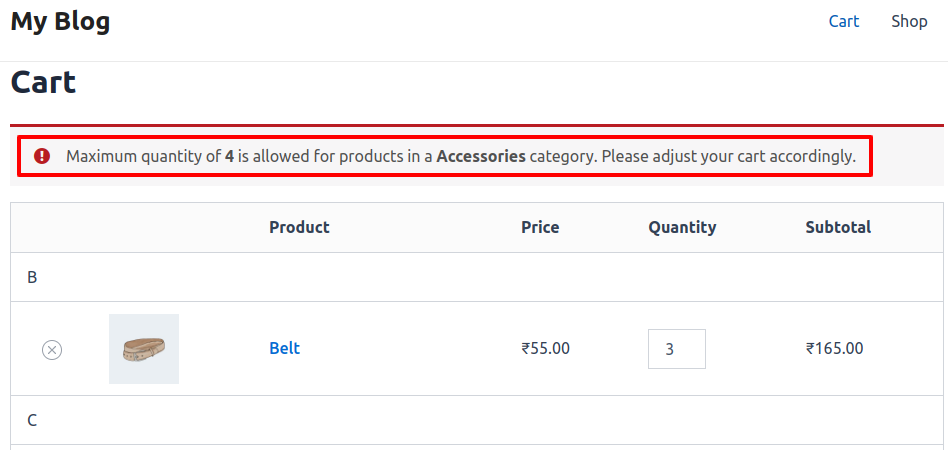
This plugin enables administrators to establish minimum and maximum quantity thresholds for items in a cart to successfully proceed to checkout. If a customer adds a quantity that falls outside these limits, they receive an error message and cannot proceed to checkout until they adjust the quantity to meet the specified conditions.
Features
- The admin can Enable/Disable the module.
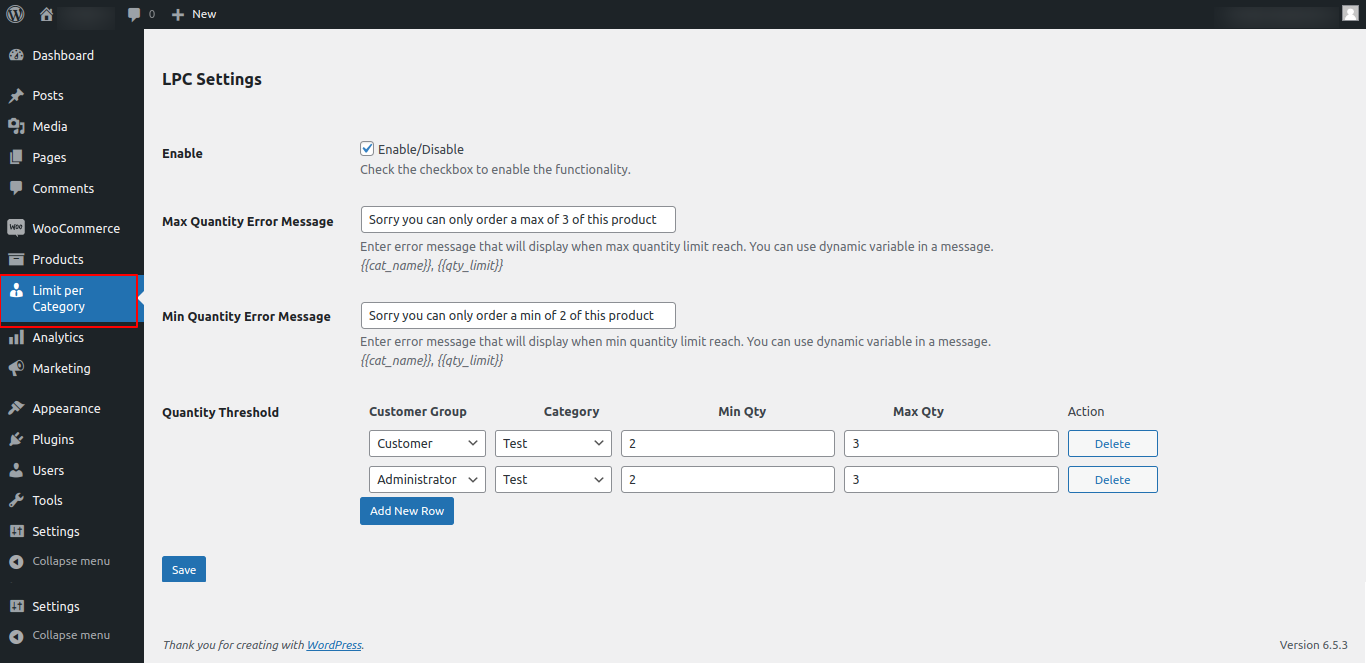
- Admin set custom error messages for minimum and maximum quantity
- Admin allow to set minimum and maximum quantity for customers group base per cart.
- Totally open source code and easy to customise
- Set restrictions on the cart quantity based on customer groups.
- Compatible With Woocommerce Default Checkout
Woocommerce Limit Quantity Per Category Plugin by MageCurious
Limit Per Category plugin for Woocommerce by Magecurious allows store admins to manage per category purchases. They can set a maximum and minimum quantity limit on per category for any customer group. A custom message warns customers if their purchase quantity in a particular category minimum or maximum below that limit.
This concept is helpful to avoid the risk of going out of stock of products of best selling categories.
- Woocommerce Limit Quantity Per Category Plugin provides store owners with the ability to set maximum purchase limits for products within specific categories.
- This helps manage inventory effectively, prevent abuse of discounts or promotions, and enhance the overall shopping experience. By controlling purchase quantities at the category level, businesses can tailor their strategies, prevent stockouts of popular items, and encourage desirable shopping behaviors.
- The plugin offers granular control, allowing for customized limits based on unique business needs. Ultimately, by maintaining a balance between supply and demand, the plugin can optimize conversion rates and increase sales revenue.
- Woocommerce Limit Quantity Per Category plugin provides valuable functionality for Woocommerce store owners, empowering them to better manage inventory, prevent abuse, and optimize sales strategies for a more successful online business.
- To learn more about how the plugin works, read our user guide.
What Is The Purpose Of The Woocommerce Limit Quantity Per Category Plugin?
- The Woocommerce Limit Quantity Per Category Plugin serves the purpose of allowing store owners to set restrictions on the maximum quantity of products a customer can purchase per category.
- This plugin offers granular control over product purchasing limits, enabling merchants to manage inventory more effectively, prevent abuse or misuse of discounts, and maintain a fair shopping experience for customers.
- By setting limits at the category level, store owners can tailor their restrictions to specific product groups, ensuring that customers cannot buy excessive quantities of certain items within a particular category.
- This can be especially useful for businesses selling products with limited availability or high demand, as well as for promoting sales strategies such as bundle offers or special promotions where quantity limits are desired.
- Overall, the Woocommerce Limit Quantity Per Category Plugin enhances the flexibility and control of a Woocommerce store, contributing to better inventory management and improved customer satisfaction.
Advantages Of The Woocommerce Limit Quantity Per Category Plugin ?
- Inventory Control: This plugin aids in inventory management by establishing maximum quantity thresholds for products in designated categories. This prevents both excess inventory accumulation and shortages within specific product groups.
- Preventing Abuse: By limiting the number of products customers can buy per category, the plugin safeguards against misuse of discounts, promotions, or items with limited availability. This promotes fairness in shopping practices and safeguards the interests of both the store owner and customers.
- Enhanced Customer Experience: Appropriately set limits reduce the likelihood of popular products running out of stock, leading to a more seamless shopping experience and minimizing frustration due to unavailable items.
- Promotional Strategy Support: Businesses conducting promotions, bundle offers, or special sales in particular categories can exercise precise control over customer purchase quantities with the plugin. This ensures efficient management of promotions and incentivizes favorable shopping behaviors.
- Customization and Flexibility: The plugin provides detailed control, empowering store owners to establish distinct quantity limits for diverse product categories according to their specific requirements and business strategies. This flexibility facilitates customized solutions for varying product groups or sales situations.
- Improved Conversion Rates: By ensuring a harmonious balance between supply and demand in each category, the plugin can enhance conversion rates. Customers are inclined to finalize purchases when they perceive fair purchase limits and product availability, resulting in heightened sales revenue.
Customer Support
+91 9327798896 OR Contact Us OR support@magecurious.com
Frequently Asked Questions
It allows you to restrict the number of items a customer can purchase from each product category.
WooCommerce Limit Quantity per Category limits customers' ability to order too many items from specific categories, helping manage inventory effectively.
Yes, you can define the quantity limit per category through the WooCommerce admin.