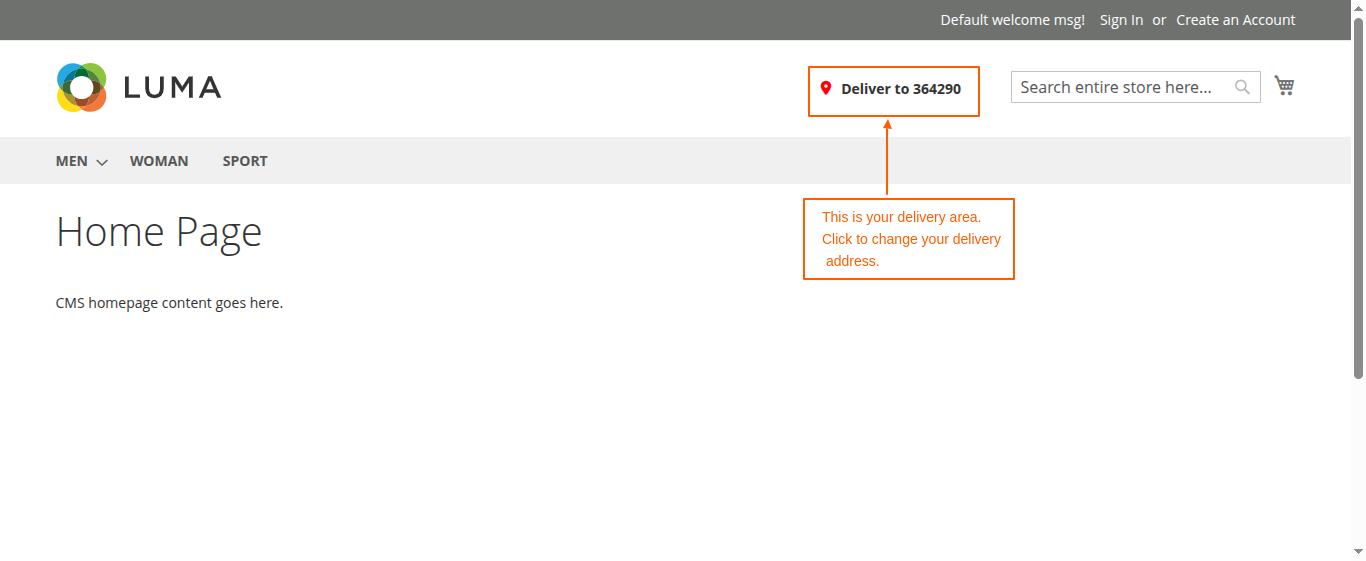


Magento 2 ZIP Code Restrictor


Magento 2 ZIP Code Restrictor
ZIP Code Restrictor for Magento 2 developed by Magecurious allows store owners to restrict or allow specific zip codes for shipping, delivery, and checkout, ensuring better service availability management.
Features
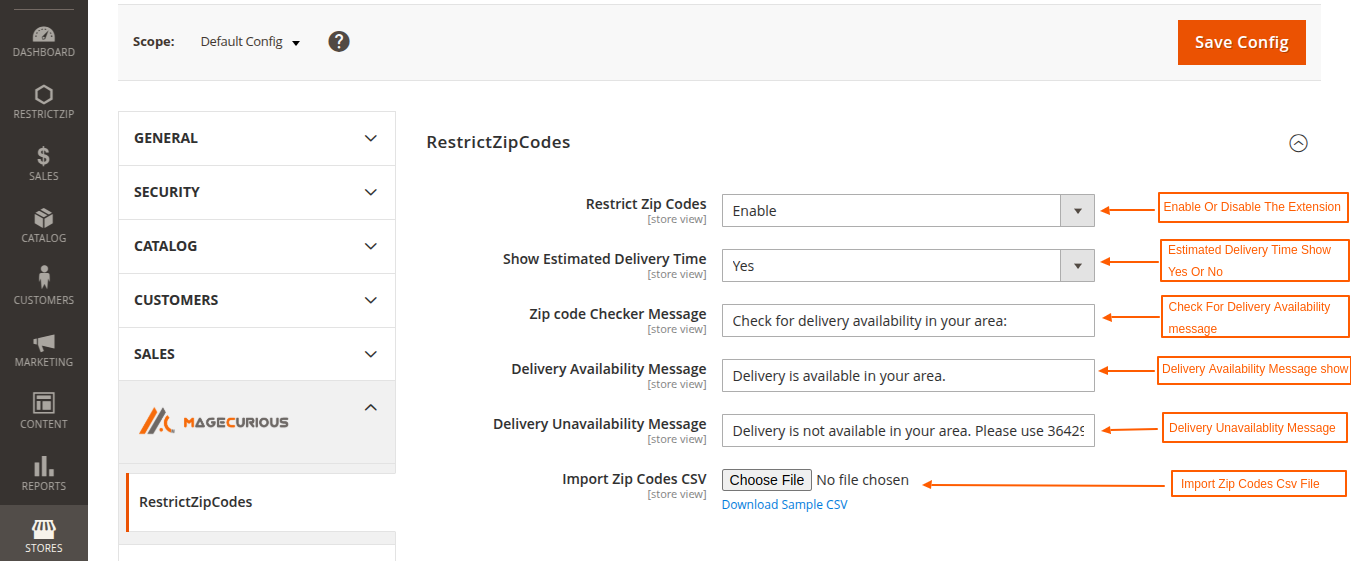
- The admin can Enable/Disable the module.
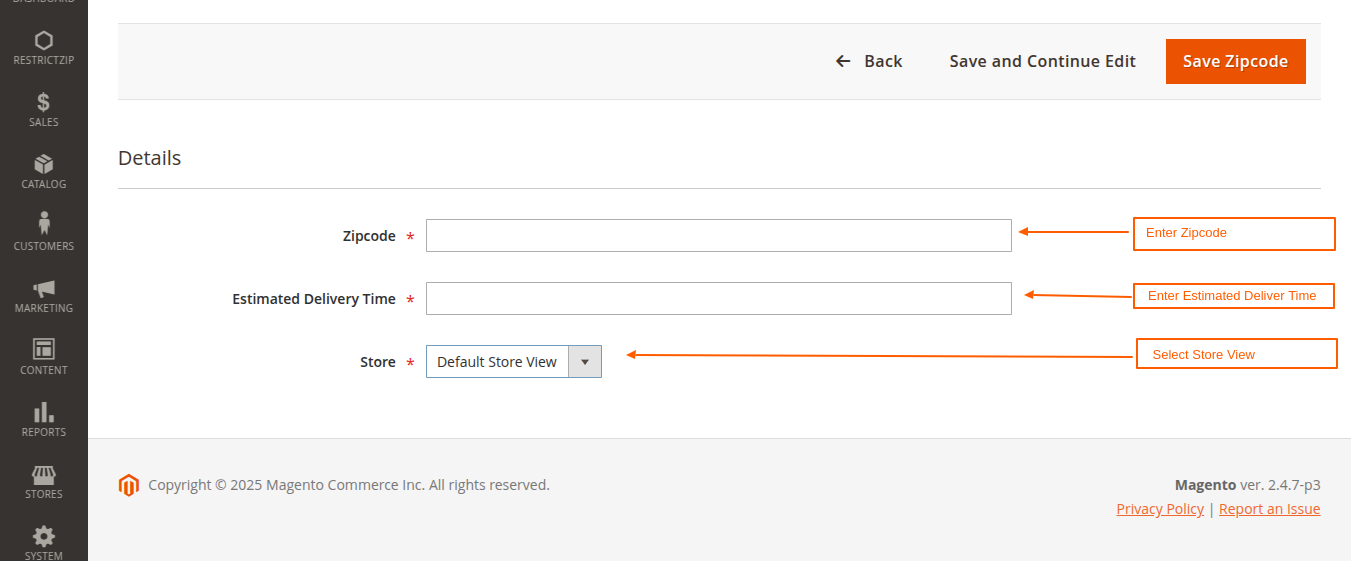
- Set zip codes where shipping, delivery, or checkout is allowed or restricted.
- Validate zip codes during checkout to prevent unauthorized orders.
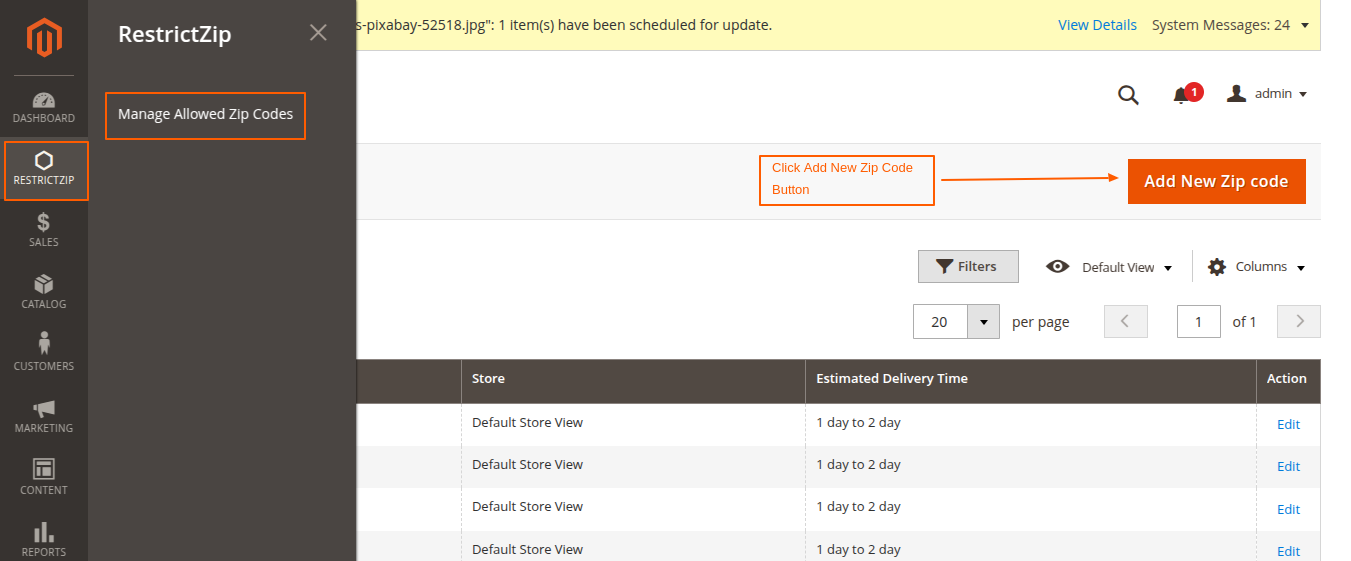
- Easily configure the extension through the Magento 2 admin panel.
- Upload a CSV file for bulk zip code management.
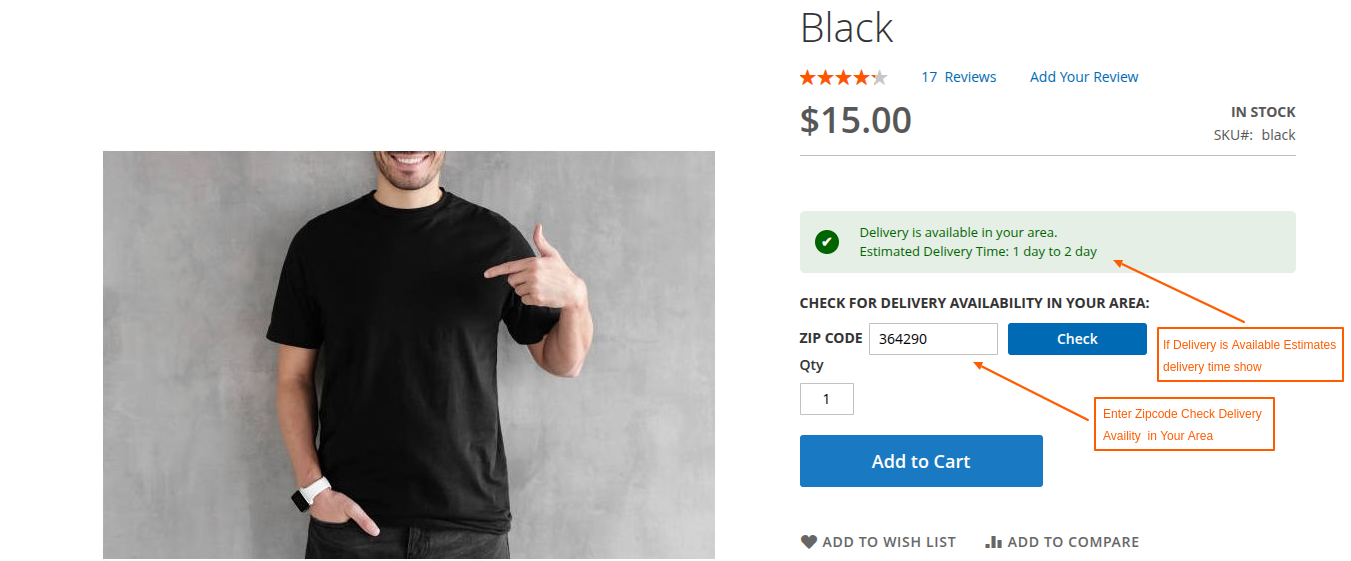
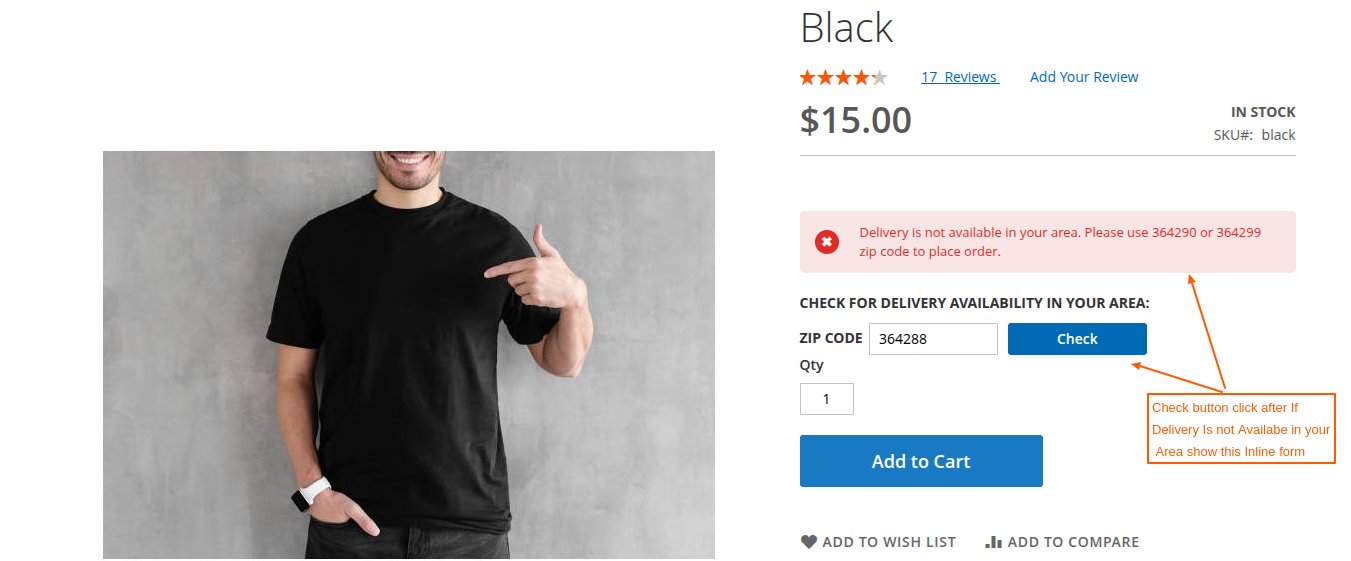
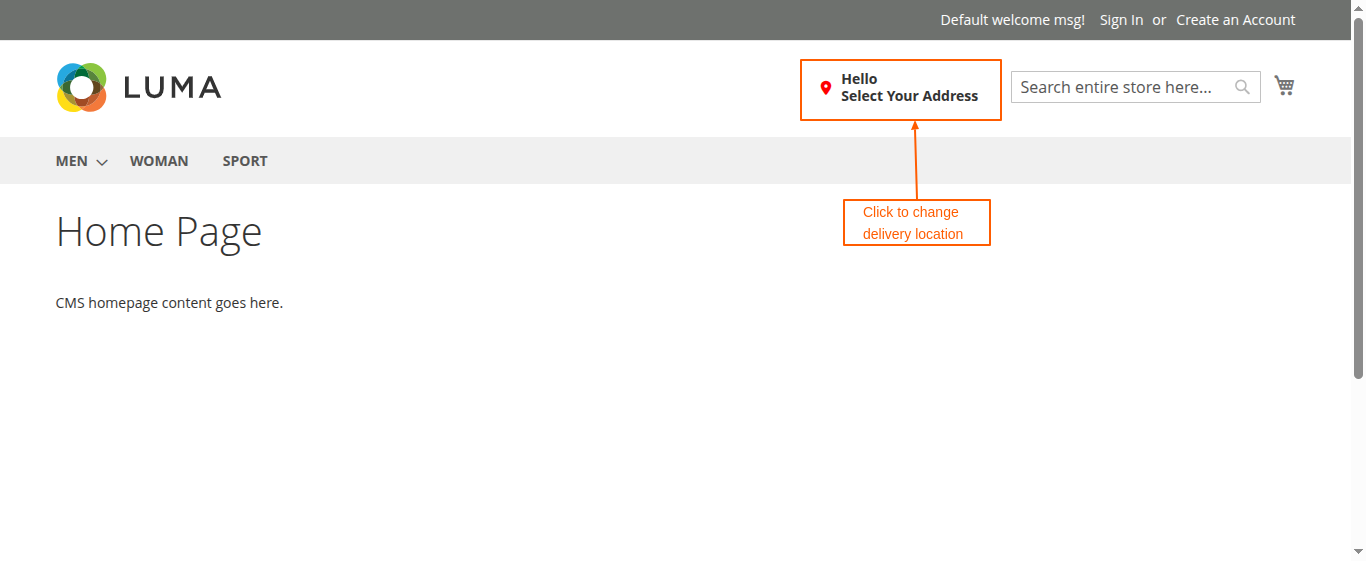
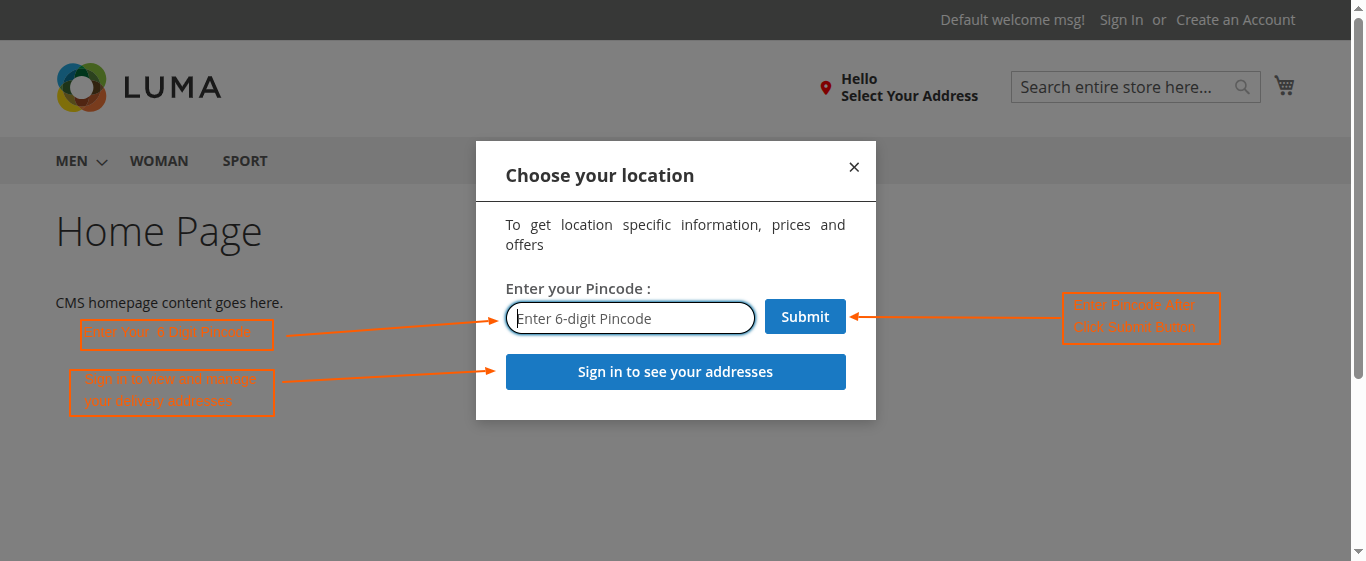
- The ZIP Code Restrictor extension enables customers to easily check if delivery is available for their location directly on the product details page by entering their zip code, ensuring a seamless and informed shopping experience.
- Works seamlessly with Magento 2 default checkout and shipping functionality.
- Compatible With 2.0.x, 2.1.x, 2.2.x, 2.3.x, 2.4.x
Magento 2 ZIP Code Restrictor Extension by MageCurious
The ZIP Code Restrictor extension for Magento 2 allows store owners to restrict or allow specific zip codes for shipping, delivery, and checkout, ensuring better service availability management.
- Restrict or Allow Specific Zip Codes – Set zip codes where shipping, delivery, or checkout is allowed or restricted.
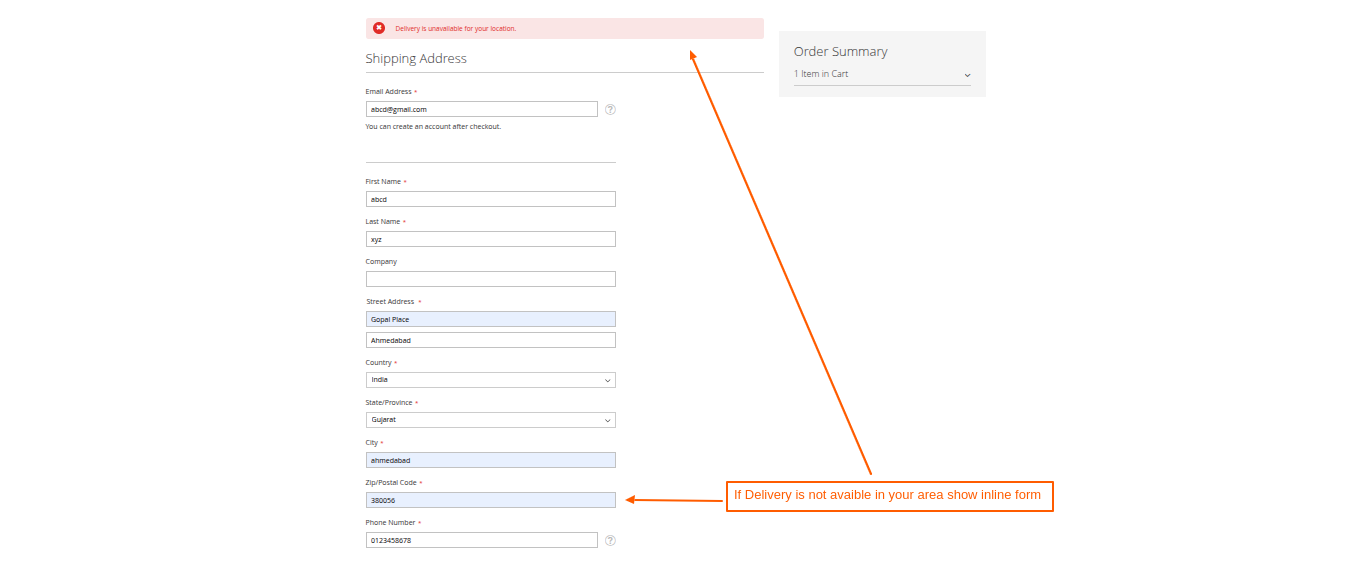
- Zip Code Validation on Checkout – Validate zip codes during checkout to prevent unauthorized orders.
- User-Friendly Admin Configuration – Easily configure the extension through the Magento 2 admin panel.
- User-Friendly Admin Configuration – Easily configure the extension through the Magento 2 admin panel.
- Bulk Import of Zip Codes – Upload a CSV file for bulk zip code management
- Product Details Page - The ZIP Code Restrictor extension enables customers to easily check if delivery is available for their location directly on the product details page by entering their zip code, ensuring a seamless and informed shopping experience.
- Compatible with Magento 2 – Works seamlessly with Magento 2 default checkout and shipping functionality
What Is The Purpose Of The Magento 2 ZIP Code Restrictor Extension?
- Restrict Unserviceable Areas – Prevent customers from placing orders in locations where delivery is unavailable.
- Improve Logistics & Delivery – Ensure only serviceable ZIP codes can proceed to checkout, reducing failed deliveries.
- Enhance Customer Experience – Display messages when customers enter restricted ZIP codes to avoid confusion.
- Customizable Rules – Easily configure allowed and blocked ZIP codes from the Magento admin panel.
Advantages Of The Magento 2 ZIP Code Restrictor Extension?
- Better Service Availability Management – Control where you deliver by restricting or allowing specific ZIP codes.
- Reduce Failed Deliveries – Prevent orders from being placed in locations you cannot serve, reducing return and refund issues.
- Improve Customer Experience – Show real-time messages to customers if their ZIP code is restricted, avoiding confusion at checkout.
- Flexible Shipping Rules – Set restrictions based on shipping methods, customer groups, or store locations.
- Easy to Configure – Manage allowed/restricted ZIP codes effortlessly from the Magento admin panel.
- SEO & Performance Optimization – Prevent search engines from indexing restricted areas, improving store efficiency.
- Customizable Notifications – Display error messages or alternative shipping options for blocked ZIP codes.
Customer Support
+91 9327798896 OR Contact Us OR support@magecurious.com
Frequently Asked Questions
The ZIP Code Restrictor extension allows store owners to restrict or allow specific zip codes for shipping, delivery, and checkout. This ensures better service availability management and prevents unauthorized orders.
The extension checks the customer's entered zip code against the allowed or restricted list. If the zip code is not permitted, the customer will not be able to proceed with checkout.
Yes, the extension provides a bulk import feature that allows you to upload a CSV file containing zip codes, making management easier.
The extension adds a zip code validation feature on the product details page, allowing customers to enter their zip code and check if delivery is available for their location.
Yes, the ZIP Code Restrictor seamlessly integrates with Magento 2’s default checkout and shipping functionality without conflicts.
Yes, the extension has a user-friendly admin configuration panel where you can manage settings, upload zip codes, and enable/disable restrictions as needed.
Yes, the extension is compatible with multiple store views, allowing you to set different zip code restrictions per store if needed.
The extension primarily restricts zip codes at the Magento level and does not interfere directly with third-party shipping carriers. However, it ensures that customers cannot place orders for restricted locations.
Yes, the extension allows both restriction and allowance of zip codes. You can configure it to allow shipping only to specific zip codes if required.
The extension can be installed like any other Magento 2 extension. After installation, navigate to the admin panel to configure settings, upload zip codes, and enable restrictions as per your business needs.